A new project is a real application on a real domain from the first deploy — sign-in, roles, a wired database and an app shell — not a scaffold you have to finish before the agent has anything to work on.
Create the project
Pick a starting point
In the dashboard, go to Projects → New. There are two starting points today: a full-stack application (FastAPI + React) or a static site (Astro). The agent works on anything in the repo afterwards — this only decides what it starts from.
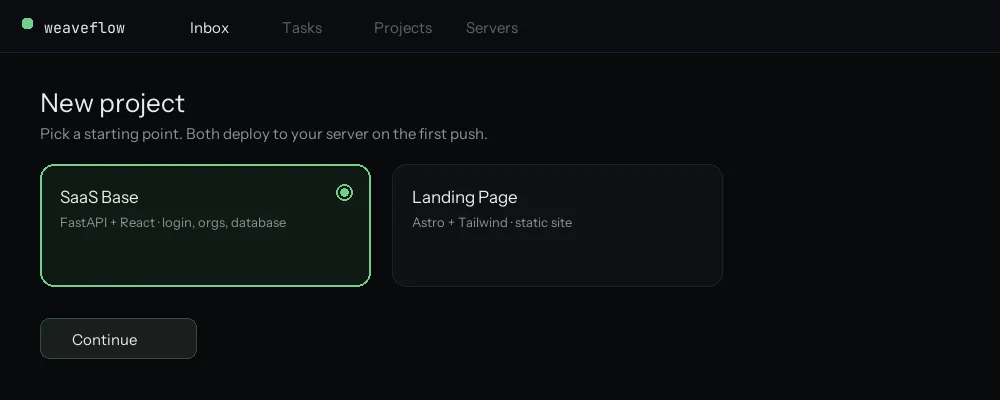
SaaS Base gives you login, multi-tenant organizations and a database already wired together. Name it
The name becomes the repository name and the default subdomain, so
acme-appgives youacme-app.weaveflowapp.com. You can attach your own domain later without breaking the free one.Choose the server
Pick a box you have already connected, or let the flow hand you a single-use enrollment command for one you own. With Hetzner connected there is a third option: create one for me.
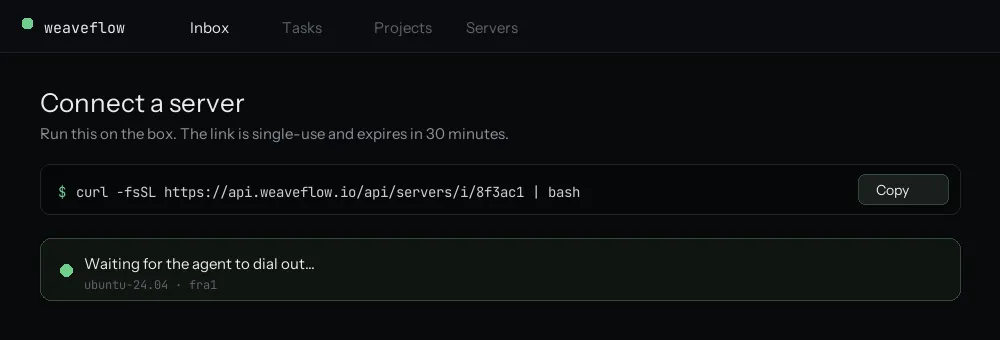
The link is minted per server, used once, and expires after 30 minutes. Connect the code
Weaveflow creates the GitHub repository and pushes the starting point to it. It is an ordinary repo that you own: clone it, work in your own editor, push whenever you like.
Connect the keys it needs
The flow shows which connections this starting point uses and skips the ones your organization has already made — an Anthropic key for the agent, and for SaaS Base the services the app itself is wired to. Landing pages skip this step entirely. See Connect your integrations for what each key gates.
Build and go live
The first build runs on your box. It is safe to close the page once it starts — the build continues, and the screen resumes where it was when you come back. When it finishes you get an HTTPS URL and a deployment you can roll back.
What you get
Creation runs as a resumable job — close the tab and come back, it is still going, and a failed stage retries from that stage rather than from the start.
- A GitHub repository you own
- A running app on
<project>.weaveflowapp.comwith a certificate - Push-to-deploy: merging to your default branch deploys to your server
- One-click rollback, because every build tags the previous images
Next
File your first ticket and let the agent pick it up — anything well-scoped works. If you have not connected a box yet, start with Connect a server.